Heide Rubiato | Full-Stack WordPress Developer

When Does a WordPress Project Need a Custom Plugin?
A practical guide to knowing when existing plugins are no longer enough
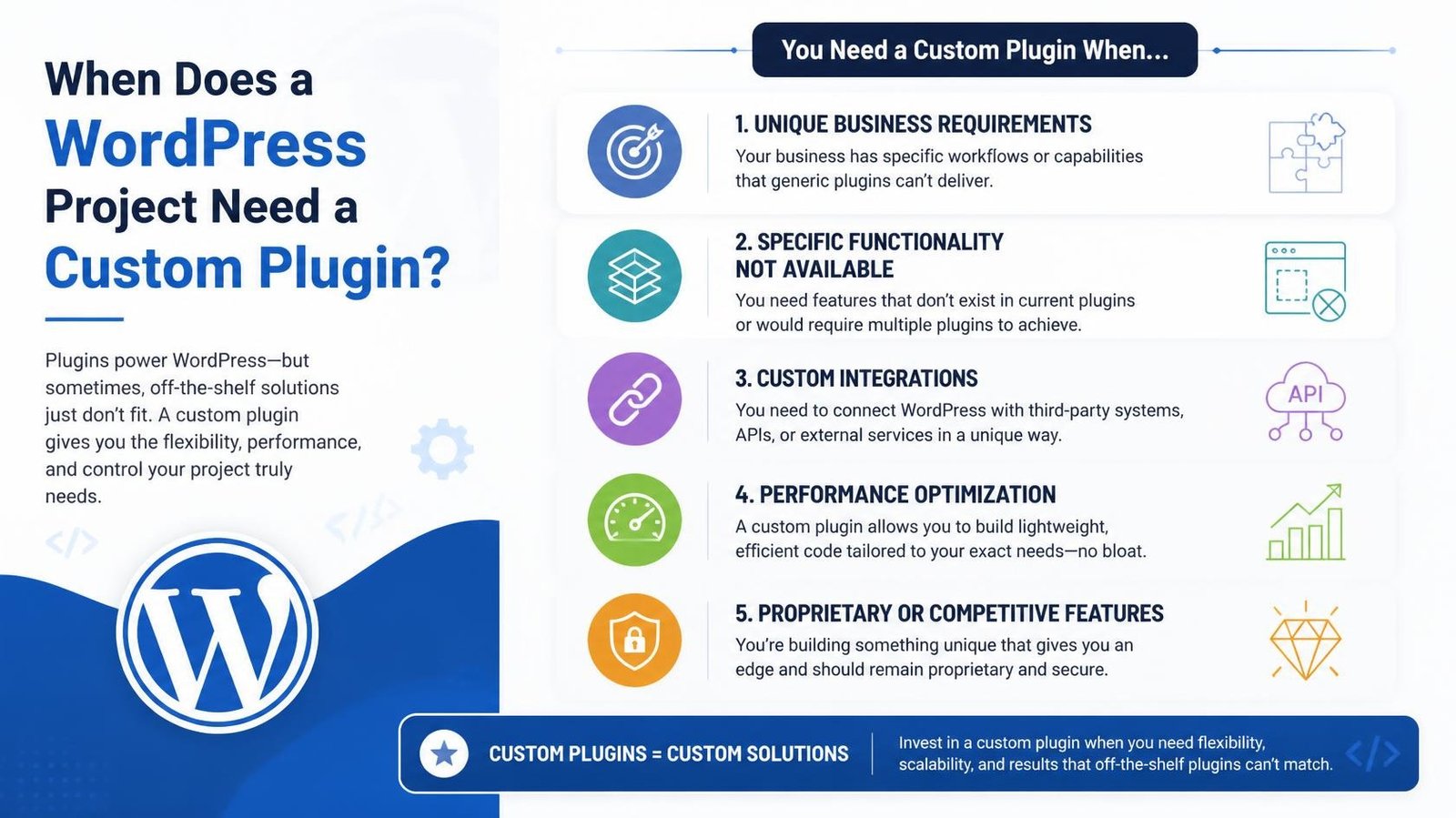
One of the most common mistakes in WordPress development is assuming that every requirement needs another plugin.
Sometimes an existing plugin is exactly what a project needs.
Other times, adding another plugin creates unnecessary complexity, conflicts with existing functionality, introduces performance issues, or forces the business to work around a process that doesn’t actually fit.
That is when custom WordPress development starts to make sense.
As a Full-Stack WordPress Developer with more than 12 years of experience, I’ve worked on projects where the requirements went beyond standard WordPress and WooCommerce functionality. My work has included custom themes, plugin customization, ACF-based structures, API integrations, WooCommerce product logic, custom booking functionality, performance optimization, and troubleshooting existing systems.
The question isn’t:
“Can I find a plugin that does this?”
The better question is:
“What is the most maintainable way to make the website do what the business actually needs?”
01
What Is a WordPress Custom Plugin?
Auto Layout turns a frame into a flexbox container: children stack in a direction, with padding and a gap you set once. Change the text in a button and the button resizes around it. Add a card to a row and the row redistributes.
The part most people skip is nesting. A section is a vertical stack of rows; a row is a horizontal stack of cards; a card is a vertical stack of text. Build it that way and the whole page reflows when content changes.
02
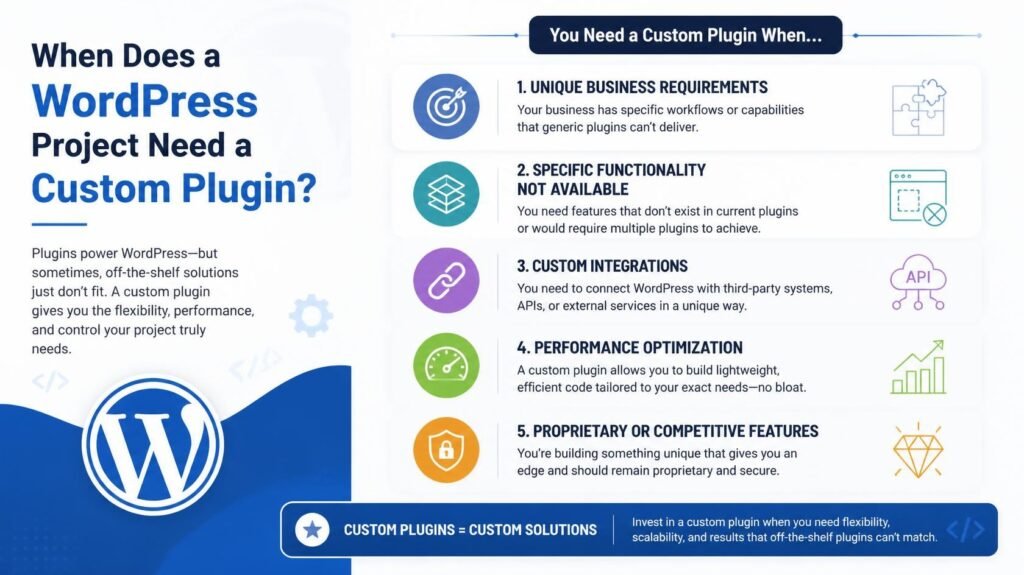
When Does a WordPress Project Need a Custom Plugin?
Variables store values — colours, numbers, strings, booleans — and modes let one variable hold different values per context. One colour collection with a light mode and a dark mode means you flip an entire page by changing a dropdown, not by maintaining two files.
The Requirement Is Too Specific for an Existing Plugin
If the business has a highly specific workflow, forcing an existing plugin to handle it can become more complicated than building the required functionality directly.
For example, I’ve worked on WooCommerce projects where customers needed functionality beyond standard product configuration.
One project involved adding a custom product experience that allowed customers to create their own version of a standard product.
- That's a good example of where the requirement itself should drive the implementation.
- The goal isn't to find the plugin with the longest feature list.
- The goal is to create the functionality the customer actually needs.
03
Custom Plugin vs Existing Plugin: How I Decide
I don’t automatically choose custom development.
I look at several factors.
Use an existing plugin when:
- It already solves the requirement well.
- It is actively maintained.
- It has good compatibility with the environment.
- It doesn't introduce unnecessary complexity.
- Its configuration is sufficient for the business.
- The licensing cost makes sense.
- The functionality doesn't require extensive modification.
Consider custom development when:
- The existing plugins require extensive workarounds.
- Several plugins are being combined to achieve one workflow.
- The functionality needs to integrate deeply with another system.
- The business logic is unique.
- Performance or maintainability is becoming a concern.
- The functionality needs to remain independent from the theme.
- The project requires long-term control over the code.
The answer isn’t always “custom plugin.”
The answer should be the simplest reliable architecture that satisfies the requirement.
04
Custom Plugin Development Is Not Just About Writing Code
A good plugin isn’t simply code that makes a feature work.
It should also consider:
Maintainability
Can another developer understand the implementation later?
Security
Is user input validated and sanitized correctly?
Are permissions and capabilities handled appropriately?
Performance
Does the functionality create unnecessary database queries or frontend requests?
Compatibility
How does it interact with WordPress, WooCommerce, the active theme, and other plugins?
Error Handling
What happens when an API fails?
What happens when required data is missing?
What happens when an external service is unavailable?
Updates
Can WordPress, WooCommerce, or another dependency be updated without immediately breaking the functionality?
Deployment
Can the changes be tested safely in staging before reaching production?
These considerations become particularly important on business-critical websites.
“
My development experience includes staging and live deployments, troubleshooting existing projects, security and maintenance, and production support.
05
A Real-World Example: Custom WooCommerce Functionality
One of the clearest examples from my experience is custom WooCommerce product functionality.
For FlowSell, I implemented a customization feature that allowed customers to create their own version of a standard product.
For Jullia Bridal, I built the website and implemented custom sizing and product personalization. Customers could add text to the front, back, or both covers and select colors and font styles without relying on a plugin for that functionality.
For Mobility Scooters for Hire, I redesigned the website and added customized booking functionality using WooCommerce.
These projects are different, but the underlying principle is the same:
The functionality was designed around the business requirement.
That is where custom WordPress development provides value.
06
What About ACF?
Advanced Custom Fields can be an excellent tool for building structured WordPress websites.
I’ve worked extensively with ACF structures, custom post types, taxonomies, component-based architectures, and custom WordPress development.
But ACF and custom plugins aren’t necessarily competing solutions.
They can work together.
For example:
ACF can manage structured content and fields.
A custom plugin can handle business logic, integrations, workflows, or specialized functionality.
The theme or frontend layer can handle presentation.
That separation can produce a cleaner and more maintainable system.
07
What About Plugin Performance?
A common misconception is:
“Custom plugins are always faster than existing plugins.”
That’s not necessarily true.
A poorly developed custom plugin can be worse than a well-built commercial or open-source plugin.
Performance depends on implementation.
A custom solution can provide more control because you can build only the functionality required by the project rather than loading features that aren’t needed.
But that doesn’t automatically make it faster.
The correct approach is to measure.
Look at:
- Database queries
- PHP execution
- REST requests
- JavaScript
- CSS
- External requests
- Caching
- Page generation
- WooCommerce processes
- Hosting infrastructure
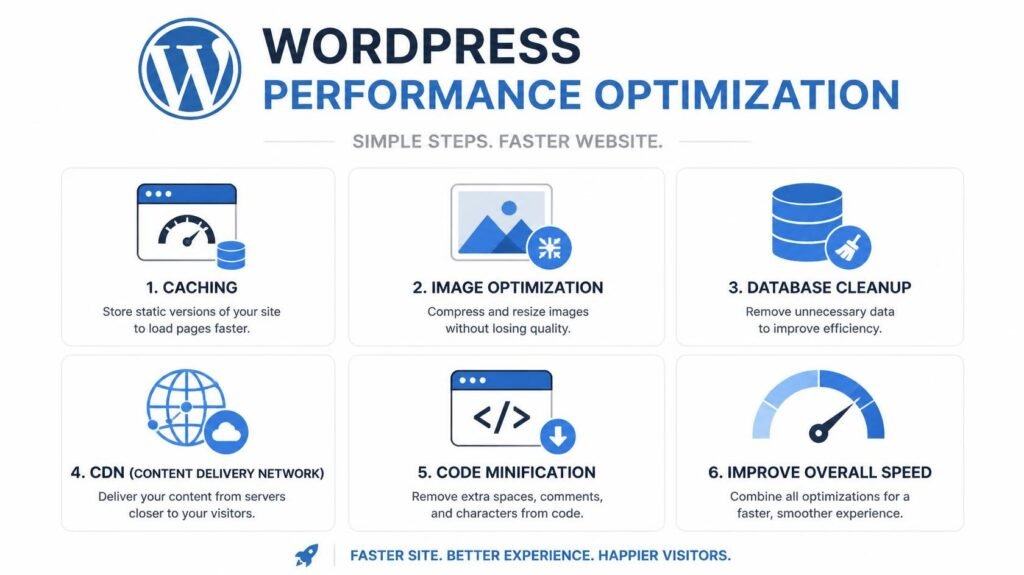
I have worked specifically on WordPress performance, including caching, CDN integration, lazy loading, image optimization, and projects where websites were optimized to achieve 90+ PageSpeed scores on mobile and desktop.
08
When You Should NOT Build a Custom Plugin
Custom development isn’t always the right answer.
I wouldn’t recommend building a plugin simply because:
- Database queries
- You don't like the interface of an existing plugin.
- The functionality is common and doesn't need customization.
- The project has no requirement that justifies custom maintenance.
- The development cost significantly outweighs the benefit.
Sometimes the smartest development decision is not writing code.
Knowing when not to build something is part of being a good developer.
09
The Better Question to Ask
Instead of asking:
“Do we need a custom plugin?”
Ask:
“What is the cleanest, most maintainable way to implement this requirement?”
The answer might be:
An existing plugin.
Or:
A small custom extension.
Or:
A dedicated custom plugin.
Or:
A theme-level implementation.
Or:
An external service connected through an API.
The architecture should follow the requirement.
Not the other way around.
10
My Final Thoughts
WordPress is powerful because it can be extended far beyond its standard functionality.
But that doesn’t mean every project needs custom code.
The best WordPress development decisions come from understanding the business requirement, the existing architecture, the technical constraints, and the long-term maintenance implications.
When an existing plugin does the job reliably, use it.
When several plugins are being forced together to solve one unique business problem, step back.
When the requirement involves custom business logic, specialized WooCommerce behavior, external integrations, or functionality that needs to remain independent from the theme, a custom WordPress plugin may be the better engineering solution.
After more than 12 years working with WordPress, my approach is simple:
Use existing tools when they make sense. Build custom when the project genuinely needs it.
The goal isn’t to write more code.
The goal is to build the right system.
Need Custom WordPress Functionality?
If your website is becoming dependent on too many plugins, struggling with a complex workflow, or needs functionality that existing solutions can’t provide, it may be time to look at a custom approach.
I can help you assess the requirement, review your existing WordPress setup, and determine whether you actually need a custom plugin or whether there’s a simpler solution.
Available for remote international projects, contract development, and long-term WordPress partnerships.
Let's Talk About
Your Project
Have a WordPress or WooCommerce project that needs custom functionality? Tell me what you’re trying to build, fix, integrate, or improve.
- BLOG